
Content Level: Research / Integration concept
Principles and Suitability
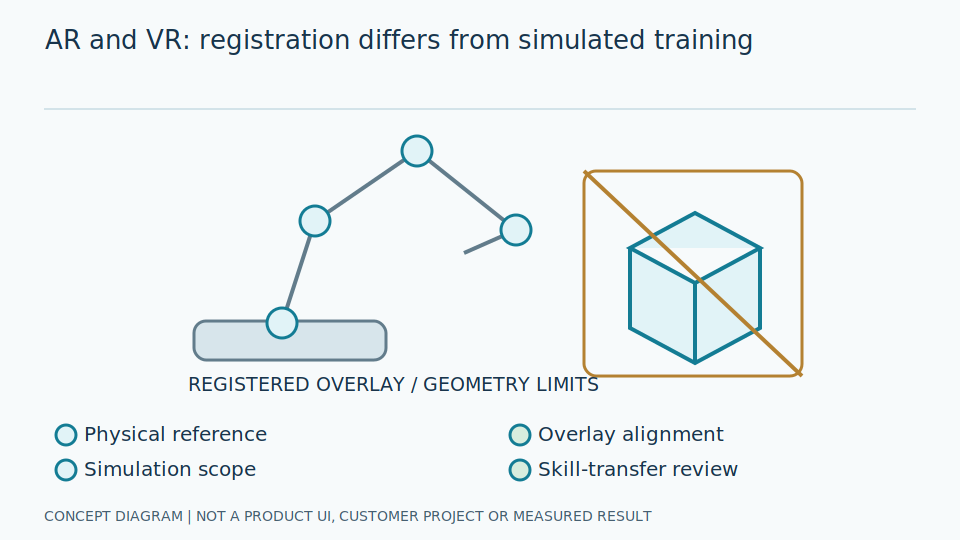
AR overlays information on the physical world, while VR creates a simulated environment. Industrial use requires assessing tracking, registration, displays, and user experience rather than merely creating a three-dimensional model.
Augmented reality presents information alongside what users see; virtual reality places users in a simulated setting. Both require attention to use and physical limitations, not just attractive imagery. User experience includes readability, comfort, and errors. An overlay near a gauge may seem convenient, but wrong positioning or old data can make users unknowingly interpret it as another instrument's current reading.
Tracking estimates device or user position, while registration aligns virtual information with physical objects. An anchor is the reference used to attach positions. Engineers check coordinate frames, timestamps, and tracking-loss states, with fallback behavior that does not associate information with the wrong location. OpenXR guides device-to-software integration; it does not establish suitability for industrial areas, protective equipment, or the particular task's safety requirements.
Scroll the diagram horizontally to inspect all details.
Illustrative Industrial Example
Conceptual example: AR displays a tag and reading history beside a gauge, subject to checking alignment with the correct instrument, current versus historical status, and unobstructed operator vision. This is not a claim of a delivered project.
Suppose viewpoint movement shifts a virtual label toward a neighboring gauge. Show unconfirmed alignment or stop the overlay under policy. Names and values must not look certain after an anchor is lost. Historical data needs clear timestamps and labeling. Demonstrate in safe simulated areas rather than asking users to walk through hazards with obscured vision or rely on AR labels instead of actual work procedures.
Engineers test coordinate alignment against reference objects and recovery after tracking loss in approved areas. Responsible personnel assess readability with appropriate protective equipment. Suppress overlays when data is stale or a tag cannot be associated. VR training must identify what the simulation cannot reproduce, such as physical sensations or real equipment constraints. Passing a simulated exercise does not certify a user for actual operation.
Scroll the diagram horizontally to inspect all details.
Study and Trial Workflow
- 1 Select devices and tracking methods for the area, lighting, and protective equipment.
- 2 Define anchors, coordinates, and stale-data presentation.
- 3 Trial usability in a safe simulated area before considering on-site use.
Evaluation and Metric Definitions
Measure registration error, tracking loss, latency, and user task errors together with comfort and visibility. Demo appearance is not a substitute for testing.
Registration error needs units and tested viewing distances. Count periods of unconfirmed tracking, not only successful overlays. Measure user mistakes against defined tasks, such as reading tags or distinguishing current from historical information. Satisfaction does not substitute for correctness. Explain limitations and provide a return to existing methods when devices are unsuitable, without pressuring uncomfortable users to continue.
Engineers examine angles, lighting, and surfaces in safe simulation under the plan, including data age and anchor-loss recovery. Verify that overlays bind to the correct physical instrument, not merely that charts appear correctly on screen. OpenXR and risk frameworks guide design and assessment, not current product device support or certification for hazardous locations. Responsible personnel must check application-specific requirements.
Limitations and Failure Cases
Bright lighting, textureless surfaces, and occlusion can disrupt tracking. Devices may be unsuitable for hazardous areas or site requirements.
Texture means surface detail aiding tracking; occlusion hides evidence of position. When evidence is insufficient, extrapolation may make a label appear stable while attaching it incorrectly. Do not conceal that state. Added references help some areas but increase installation and maintenance. Three-dimensional presentation does not replace correct values, units, timestamps, or equipment readiness checks required for the task.
Overlays can simplify some work while obstructing vision and adding learning burdens. Choose through safe user trials, not claims of time savings or delivered projects inferred from a demo. This article concerns integration concepts, not current AR or VR services. Software tests do not certify equipment for risky tasks or prove that users can perform every real-world step without supervision.
Practical Checklist
- Is the example identified as a concept or an evidence-backed deployment?
- Is fallback available when tracking is lost?
- Has a responsible owner approved device suitability?