
Principles, Scenarios and Suitability
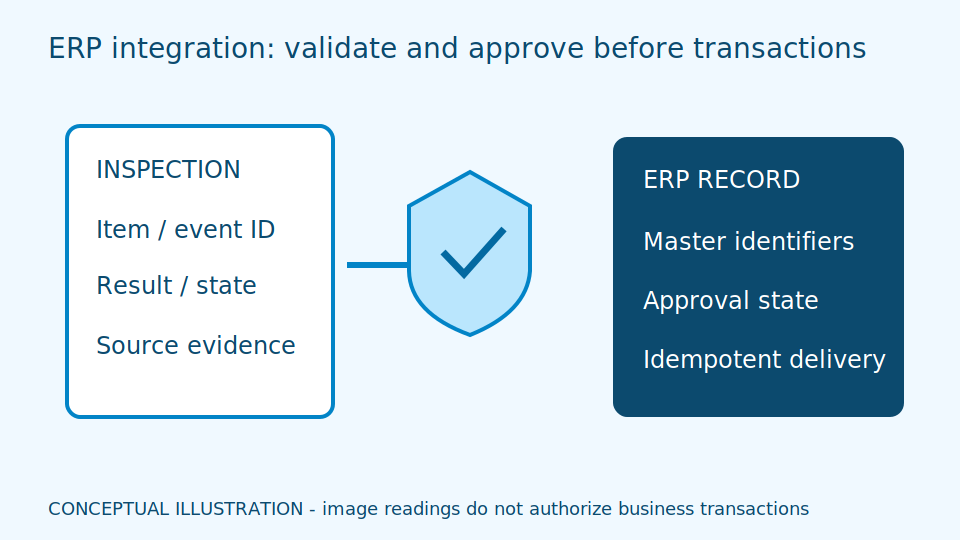
ERP integration turns inspection results or site events into business transactions, requiring careful handling of master identifiers, approval states and retries. An image reading should not immediately create accounting documents or change inventory balances while bypassing business rules.
An ERP links production, inventory and business documents. An image result supplies evidence, not authorisation to receive goods. Master data provides shared material, unit and location codes. A correct reading linked to an obsolete code still creates a wrong transaction. Review both reading accuracy and business meaning before affecting live balances.
Idempotency means repeating the same request does not repeat its transaction effect. It is different from merely retrying until delivery succeeds. Staging holds records for validation before business processing, adding some delay but enabling systematic correction. Define who approves, corrects and reconciles records. Service accounts should have only necessary permissions, not broad access for convenient integration.
Scroll the diagram horizontally to inspect all details.
Illustrative Design Scenario
Illustrative design scenario: a batch inspection creates a pending-review record linked to a production order. An authorised person confirms it before quality status is posted. Duplicate messages must not create repeated receipts or inventory deductions.
Suppose a result is sent but its response disappears. The sender cannot tell whether the destination accepted it. Use the original event identifier to check status or retry according to the contract. Generating a new identifier every time can create separate transactions. Explain received, approved and posted as distinct states.
Immediate staging provides fresher records but more requests; periodic batches reduce connection workload but delay correction. Production and inventory owners should choose according to their needs. Test repeated requests, incorrect units and ERP outages in a test system, never by deducting real stock simply to prove connectivity.
Inputs and Prerequisites
Prepare API contracts, master data, units of measure, plant and batch codes, and approval policies. Retain correlation IDs and data versions so documents can be traced to source events.
An API contract specifies message structure and response meaning. A correlation ID follows the same work across systems. Retain a permanent event identifier and source timestamp; a retry timestamp must not imply new business activity.
Output should distinguish receipt, checking, approval and failure, including a destination document identifier only when one actually exists. Convert boxes to individual items using approved master data. Do not infer pack quantity from generic text in an image or silently assume every material uses the same conversion.
Trial and Integration Workflow
- 1Have business data owners agree on identifier and unit mappings.
- 2Send data to staging with validation and an idempotency key.
- 3Test retries, reversals and reconciliation during ERP maintenance outages.
Evaluation and Acceptance Criteria
Reconcile transaction counts and totals against source events, including duplicates, reordered messages and slow responses. Acceptance must demonstrate that failed work reaches a correction queue and that retries cannot cause repeated accounting effects.
Use test records containing duplicates and revised versions, checking balances before and after rerunning them. Include failure after destination acceptance but before the sender saves its status. Recovery must not increase the transaction total merely because the sender lost confirmation.
Business owners should reconcile sample documents against source images and approvals. Check that correction queues have owners and reasons. Absence of errors in technical logs is insufficient: a technically valid record may still have the wrong material, unit or approval state.
Scroll the diagram horizontally to inspect all details.
Failure Cases and Limitations
A successful API response may mean queued rather than posted. Changed units or material codes can produce correctly typed but semantically wrong records. Process owners must approve the business handling; connectivity does not certify accounting correctness.
Reversing a transaction may require a compensating entry under ERP rules, not deletion of the original evidence. Design a correction trail and separate checking from approval permissions so later review can fairly reconstruct what happened.
Documents may contain supplier and personal information. Limit fields and access to business necessity. Any proposed ERP connection must be checked against its actual API and version; this guide does not claim existing support for every ERP brand or authorise bypassing its business controls.
Practical Checklist
- Do retries produce only one transaction effect?
- Are reconciliation reports and a correction queue available?
- Is data receipt separate from business approval?