
Principles, Scenarios and Suitability
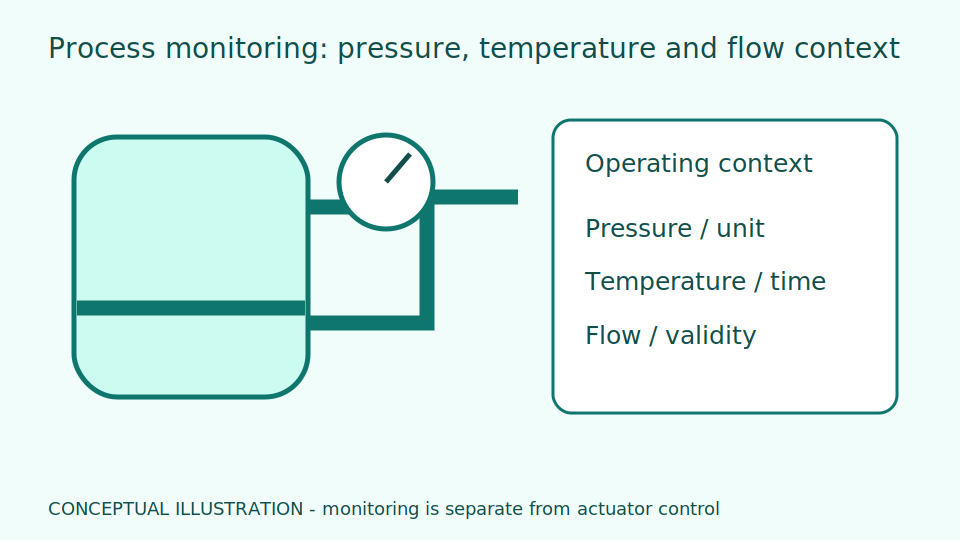
Process observation is separate from a feedback control loop. Pressure, temperature and flow values need an operating envelope and machine-state context. Image reading can improve visibility of existing instruments where its timing limits and measurement uncertainty are acceptable.
A feedback loop uses measurements to adjust equipment towards a target; observation helps people understand events. The operating envelope is the range accepted by the process owner. A value normal during startup may be abnormal during steady production. Read trends alongside machine states and changeover records instead of applying one warning line to every period.
Check whether pressure is relative to the atmosphere or absolute, and where it is measured. Comparing different pressure bases can mislead even when both numbers are correctly read. More frequent sampling reveals changes but increases storage and nuisance-event workloads. Select the interval for the question and available human response time, keeping supplementary information clearly separate from control and protection paths.
Scroll the diagram horizontally to inspect all details.
Illustrative Design Scenario
Illustrative design scenario: compare filter inlet and outlet pressure at a steady flow rate to prioritise inspection points. A change in differential pressure prompts review; it is not an automatic instruction to clean the filter or stop the machine.
For illustration, an inlet at 4 bar and outlet at 3.5 bar give a difference of 0.5 bar. Later readings of 4 and 3 bar give 1 bar. Check that flow and fluid type remain comparable before associating the increase with blockage. A valve change or altered load can also change the differential.
An operator may review operating records before requesting inspection to avoid unnecessary process disruption. Technicians should use approved site procedures and inspect the gauges as well. Any future warning threshold should first be explored with historical data and observation only. Do not deliberately create abnormal physical pressure to obtain an example event.
Inputs and Prerequisites
Provide P&IDs, tags, units, measurement ranges, operating modes and instrument locations. Include reviewed examples of startup, shutdown and normal operation rather than using normal-state readings alone.
A P&ID is a piping and instrumentation diagram. It locates a measurement before or after particular equipment. Retain the gauge identifier, image timestamp, units and readability status together so readings from different points are not inadvertently paired.
Output should show raw readings, the calculated difference and why no difference was calculated when the two timestamps are too far apart. A missing counterpart means unknown, not equal pressures. State the pairing rule so that reviewers can understand which comparisons are physically meaningful.
Trial and Integration Workflow
- 1Map every tag to an instrument and verify units before combining records.
- 2Retain timestamps and quality flags, excluding mode transitions from the normal-operation baseline.
- 3Design alarms with hysteresis and response procedures confirmed by the operators.
Evaluation and Acceptance Criteria
Compare values and response times against reference instruments. Check missed alarms and nuisance alarms separately by operating mode. Test stuck sensors and network loss without connecting commands to the live control loop during the experiment.
Use simulated data for frozen values and shifted timestamps. Check that filtering does not erase short events that operators need to see. Hysteresis uses different boundaries for entering and leaving an alarm state, reducing repeated switching when values hover near a threshold.
Have controllers review proposed events with the operating context. Record why an event needed no action so thresholds can be revised from evidence. Increasing sensitivity solely to reduce missed events is not sufficient; also measure the resulting alarm workload and whether responses remain practical.
Failure Cases and Limitations
Relationships between variables do not prove causation. A clear dial image can still show a defective gauge or a blocked impulse line. This monitoring is not an SIS and does not replace instruments selected for a control loop or a protective function.
A correctly read faulty gauge still gives an incorrect process measurement. An impulse line carries pressure to an instrument; blockage can leave a frozen reading with an unchanged image. Instrument inspection history is therefore needed, not merely confirmation that the picture is clear.
An educational warning threshold does not authorise continued operation. Authorised personnel must follow the actual process requirements and response procedures. Any connection carrying commands is a separate design requiring risk assessment, rather than an assumed extension of this additional monitoring.
Scroll the diagram horizontally to inspect all details.
Practical Checklist
- Are monitoring, control and protection explicitly separated?
- Does every alarm have an owner and response procedure?
- Have stuck readings that appear normal been tested?