
Principles, Scenarios and Suitability
An edge gateway processes near image sources to reduce transfer and accommodate outages, but faces power, heat and storage constraints. Design the model, image queue and device-maintenance lifecycle together rather than selecting hardware on GPU scores alone.
Edge means processing close to the data source; a gateway connects equipment to other systems. Like a local intake desk, it checks information before passing it onwards. Local reading can avoid sending every image, but results still need timestamps and limitations. Factory computers may face more heat, dust and maintenance difficulty than office machines.
A latency budget covers the whole allowable delay, not model calculation alone. Long queues produce correct but old answers. Dropping stale frames improves freshness while leaving historical gaps. Choose for monitoring or evidence retention and expose skipped counts to the process owner. Edge placement does not automatically make this information suitable for control or protection.
Scroll the diagram horizontally to inspect all details.
Illustrative Design Scenario
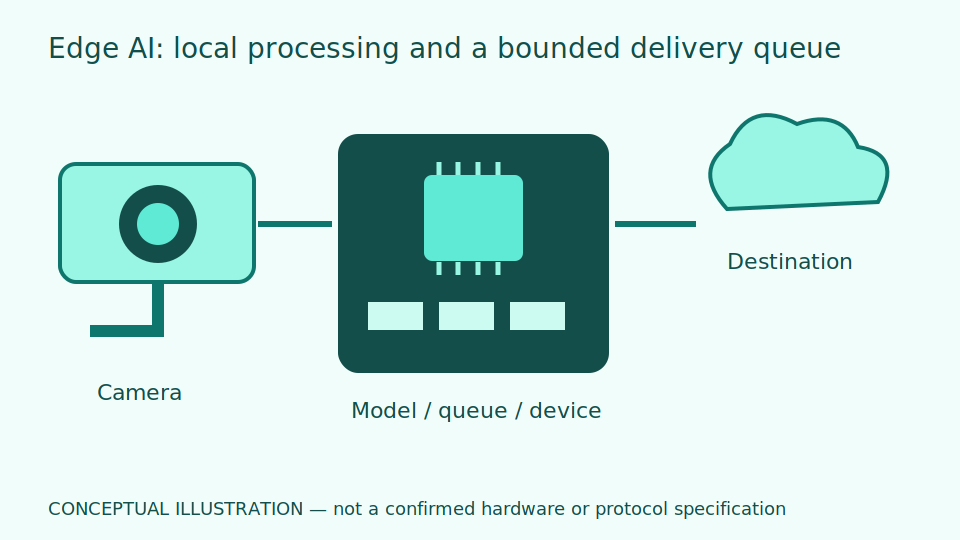
Illustrative design scenario: a gateway reads gauges from multiple cameras and buffers results during internet loss. On reconnection it sends records with their original event IDs and timestamps. Images too old for the intended purpose are not processed as current events.
Suppose cameras deliver faster than processing can finish. The queue grows despite continuous model activity. Lower capture frequency for slowly changing gauges or add resources. Fewer frames save energy but may miss short events; additional resources add heat and maintenance. Test concurrent cameras rather than choosing from one image.
After internet recovery, resend history with original identifiers and timestamps, distinguishing it from actionable current events. Compare counts before and after retries. Any future remote model update needs quality-based rollback and testing on spare equipment first. Do not assume ordinary devices already provide that mechanism.
Inputs and Prerequisites
Specify stream count, resolution, capture rate, latency budget, temperature range, disk capacity and target models. Plan signed updates and a way to roll back versions.
A stream is a continuing image sequence. Know average rates and the largest concurrent workload. Retain image format, model version and benchmark lighting conditions so hardware changes can be compared fairly rather than against different input difficulty.
Results should carry readings, quality, time, event identifier and model version, with counts of dropped or unprocessed images. Partial output must not be reported as complete interval coverage, particularly after full-disk conditions or a recent restart.
Trial and Integration Workflow
- 1Benchmark the actual pipeline, including decoding, preprocessing and result delivery.
- 2Set queue limits, frame-drop rules and local buffering for network outages.
- 3Run thermal soak, full-disk, power-loss and version-rollback tests.
Evaluation and Acceptance Criteria
Measure throughput and p95 latency with the actual concurrent camera workload alongside model quality. Check thermal throttling and quantisation effects against a reference model. Acceptance must include avoiding lost or duplicate records after restart.
Throughput measures work completed per unit time. The p95 delay is the value below which 95 percent of tested jobs fall, not a guaranteed maximum. Review the slowest jobs and skipped-image rate too; a favourable percentile can coexist with important missing observations.
Quantisation reduces computational precision to save resources. Check small digits and difficult examples for quality changes. Rehearse full disks and restarts on test equipment without affecting production machinery, and have maintainers review recovery evidence.
Scroll the diagram horizontally to inspect all details.
Failure Cases and Limitations
Faster processing may reduce performance on small digits or defects. Local processing still carries risks from disk contents and administrator access. Running at the edge does not automatically make the system resistant to power loss or secure against cyber threats.
Thermal throttling reduces speed when equipment heats up, so initial test performance can differ from sustained operation. Responsible staff must assess the real location and environment. Ordinary computing equipment must not simply be placed in a hazardous area.
Local image storage can still infringe privacy when people appear. Limit content and retention to the purpose. Buffering and secure updates are proposals requiring verification of actual support, not asserted features of an installed product.
Practical Checklist
- Have all intended camera streams been tested concurrently?
- Are stale-image and full-disk policies defined?
- Can a failed update return to the previous version?