
Principles, Scenarios and Suitability
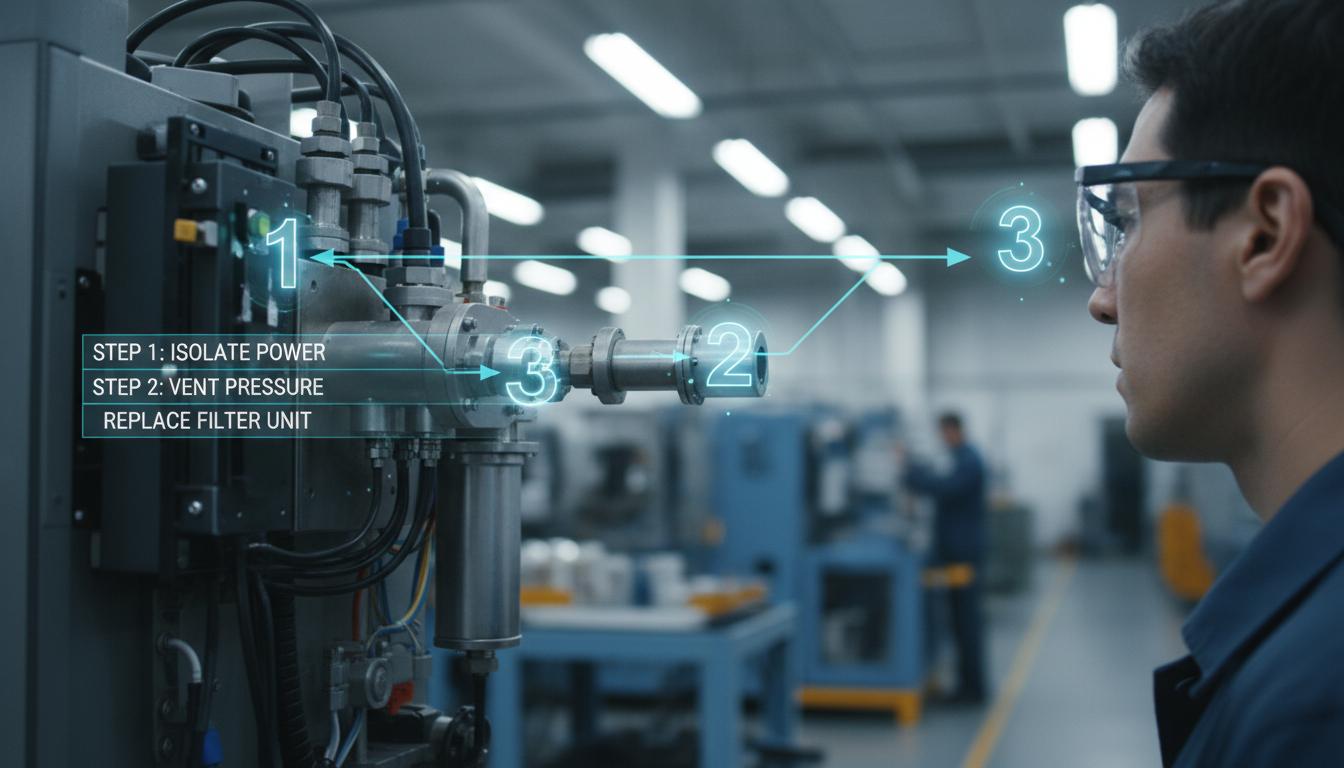
AR overlays digital instructions on a real scene and requires correct registration and instruction versions. It can help locate parts and follow sequences, but an overlay does not prove task completion or that the next step is safe.
AR adds digital information to what is seen; an overlay is superimposed text or imagery, and an anchor positions it against equipment. Think of a manual's arrow: it must point at the correct part. If tracking fails and the arrow drifts, smooth imagery is useless and may mislead. Stop position guidance and return to ordinary documents rather than preserve continuity without confirmed registration.
Tracking confidence needs task-specific criteria and does not confirm safety. Work instructions must link to the approved revision and machine model. More information adds detail but may obscure important features or distract users. Have operators trial comprehension in safe simulations, with critical-step verification outside AR. Pressing next does not prove actual work or complete energy isolation.
Scroll the diagram horizontally to inspect all details.
Illustrative Design Scenario
Illustrative design scenario: a tablet shows inspection points on stopped equipment under an authorised procedure. If tracking fails, stop the overlay and show ordinary documentation rather than leaving a misplaced arrow visible to preserve a seamless experience.
Suppose a similar-looking new machine moves a cover. Confirm the model and instruction revision before displaying arrows. Visual resemblance without evidence must not select the machine. Incorrect registration should indicate AR unavailable and open correct documents, not guide users toward potentially different equipment.
Options include clearly visible reference points or geometric tracking; both need trials under real lighting and occlusion. Operators should wear required equipment and test on demonstration machines or stopped, authorised equipment. Do not undertake risky work to measure speed or use ordinary tablets in hazardous areas without device assessment.
Inputs and Prerequisites
Use approved work instructions, equipment models, coordinate systems, anchors and stop-work conditions. Prepare visibility constraints, PPE requirements and devices suitable for the actual work area.
Keep machine ID, instruction revision, approver and reference locations, with methods checking tracking correctness. Conveniently available old documents must not replace the revision required by the actual task. Limit personal images and confidential documents captured on screens.
Results should present guidance with model, revision, registration status and an ordinary-document route. User confirmation must remain separate from critical-step evidence. Never record safe equipment from overlays or tracking scores.
Trial and Integration Workflow
- 1Associate instructions with the approved equipment model and revision.
- 2Calibrate anchors and check tracking confidence before showing steps.
- 3Require operator confirmation and separate verification evidence for critical steps.
Evaluation and Acceptance Criteria
Measure registration error and tracking loss under actual lighting. Evaluate comprehension and task errors through safe trials. Faster completion alone is not evidence of better work quality or safety.
Simulate camera rotation, obscured references and network loss. Check overlays stop when uncertain and do not resume using stale positions. Separate incorrect pointing from wrong instruction revisions because each requires a different correction.
Ask users to explain steps and limitations from the display, comparing with approved documents. Check non-AR continuation and independent evidence for critical tasks. Modern appearance or average completion time alone cannot establish acceptance.
Scroll the diagram horizontally to inspect all details.
Failure Cases and Limitations
Overlays may hide important features or shift when devices move. AR does not replace training, energy isolation or work permits. Ordinary devices may be unsuitable for hazardous areas, so retain a way to work without AR.
Holding devices may occupy hands or restrict awareness. Choose devices and use methods through task assessment. Continuous information must not divert attention from actual conditions, or make AR the only route for critical work.
OpenXR guides interfaces for virtual experiences, not tool-safety certification. Future AR needs checks of actual models, devices and content, not claims of installed systems or support for every maintenance task.
Practical Checklist
- Does the instruction revision match the actual equipment model?
- Does tracking loss stop potentially misleading position guidance?
- Can critical steps be verified independently of the AR overlay?